
The Print Service is a key feature of Kaniedenta DentalPrint, enabling you to send print jobs directly to Kaniedenta quickly, reliably and in high quality. This service helps you to have models, splints or other dental applications professionally manufactured without needing your own 3D printer.
Purpose of the Print Service
The Print Service offers a simple way to send digital cases from DentalPrint to Kaniedenta, where they are designed and manufactured using industrial 3D printing systems. It is particularly suitable for dental practices and laboratories that:
- do not own their own 3D printer
- do not have staff dedicated to design
- wish to cope with peaks in demand
- require the highest print quality for specific applications
- prefer a reliable and fast external manufacturing service
Preview process for design review
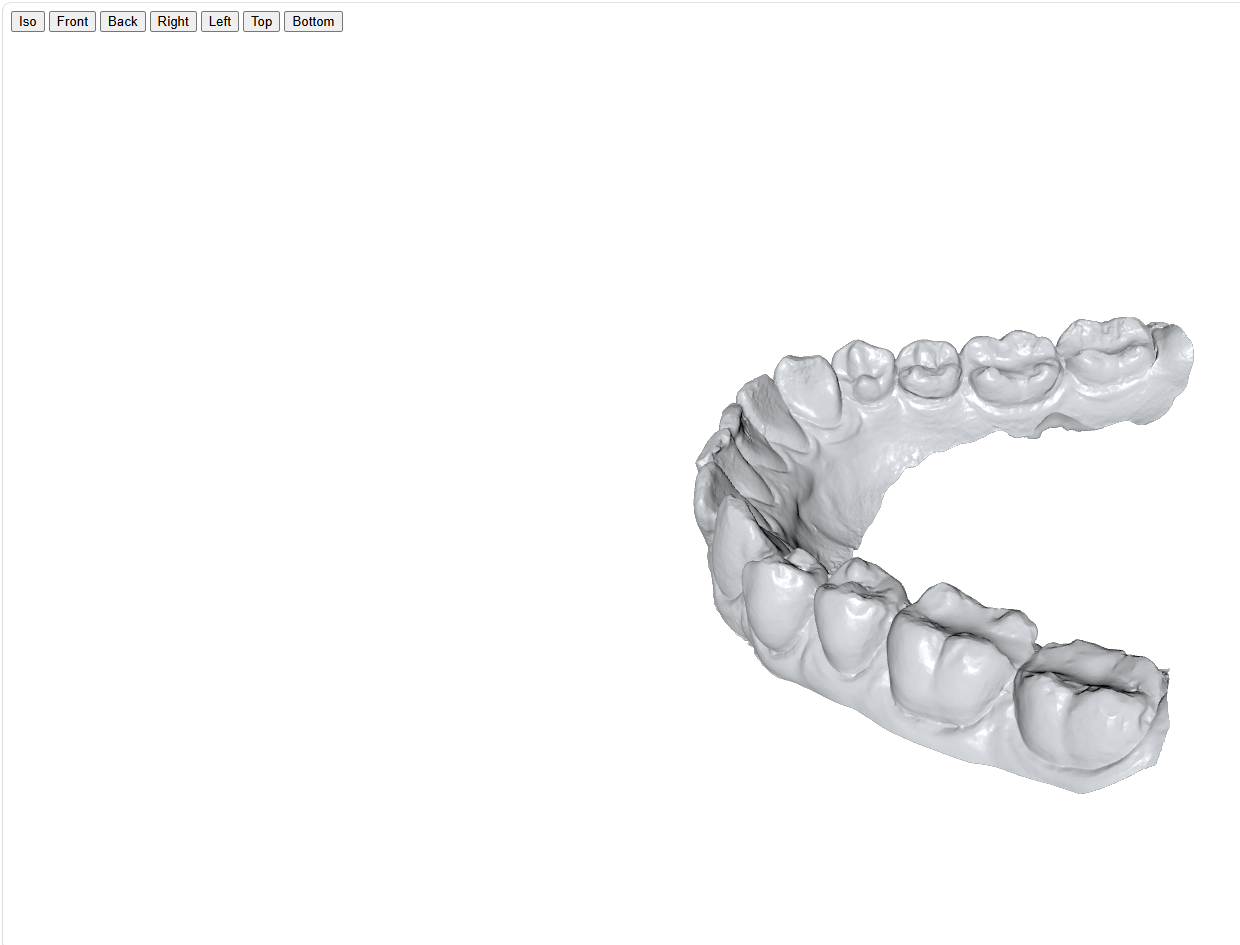
Before a design is printed via the Print Service, DentalPrint provides a handy preview. This allows you to check and approve the final 3D model quickly and without the need for additional software.
Provision of the preview file
For every data transfer, a file with the extension .xhtml is automatically generated and attached. This file contains an interactive 3D view of the finished design.
Open the preview
The .xhtml file can be opened in any standard web browser, e.g.:
- Google Chrome
- Mozilla Firefox
- Microsoft Edge
- Safari
No additional software installation is required.
Interactive 3D view
Once opened, a fully rotatable 3D view of the design appears in the browser. It allows you to:
- free rotation
- inspection of details, edges and surfaces
- checking the model for completeness
Approval of the design
Once the model has been visually checked, the job can be approved in the system. Approval confirms that the design is correct and should be printed as shown.